Showing posts with label Technology. Show all posts

10/04/2009

Motosurf A3100 Homescreen

This is an application for Windows Mobile Pocket PC, which serves to change the homescreen to menu like motosurf or Motorola A3100. If you want to have as Motosurf homescreen menu, you can just install this application. This application is suitable for Windows Mobile 6.x or Windows Mobile 6.5 with QVGA device.


Instructions

Install cab on device and your good to go .if installed on sd card it will crash if you have it plugged into mass storaged. but do so if you like.. just as long as you dont use mass storage.


Screenshot Motosurf Homescreen on my O2 XDA IIs with Windows Mobile 6.5 QVGA devices:


Features:

Tabs that you can slide through like the Touch diamond and you can customize the order or remove tabs. Has a drop down menu where you can can add fav apps on there.o ya forgot to mention about incoming text, or a missed call... pretty much any notification is showed on the top of the bar. You should be able to show clock and calendar by going to settings from the drop down menu and scroll all the way down and you can turn them on


Download and Archives:

XDA Forum and Discussion

Download Motosurf Homescreen
Read More >>>

SPB Mobile Shell 3.5

SPB Software SPB again to update the Shell for Windows Mobile Pocket PC mobile. At 3.01 the previous version was able to make a Pocket PC becomes better. And now, with the issuance of version 3.5 become better than before. Lots of widgets that are added in this version 3.5. One of them is twiter status and facebook status because I often access facebook.


Widgets - Cool widgets to customize your Home screen

- Photo contacts
- Picture frame
- Media player
- Weather
- Internet search
- Facebook and Twitter status
- Wireless switches
- Phone profile
- Appointments and tasks
- and many others

Contacts - Finger friendly contacts with Facebook integration

- Widget-based photo contacts
- Facebook integration
- Photo call log
- Smart contact search
- 3D favorite contacts carousel
- Ringtone management
- Category filter

Launcher - Fast access to all your smartphone features

- Pinned shortcuts
- 3D email and SMS viewer
- Recently used programs
- Finger friendly task manager
- 3x3 phone style menu

Tools - SPB Mobile Shell comes with integrated tools

- Weather forecasts
- Current weather
- Agenda view
- World time
- Wireless switches
- Profiles
- Internet search
- Facebook and Twitter status

UI - Customize your device with your preferences

- 3D carousel with special effects
- Make your own Home screen using widgets
- Adaptive skins
- Change background
- Customize your menu
- Change widget skins
- Choose Professional or Lifestyle Home screen


New widgets:
- Tasks
- Picture frame (widget and fullscreen slideshow)
- Facebook status
- Twitter status
- Birthdays reminders
- Four instant wireless switches (WiFi, Bluetooth, Flight Mode, and Phone Switch)
- Internet search
- Operator's name
- Date
- Alarm

Updated widgets:
- Contact: ability to choose the default action
- Wireless manager: icon shows current states, and popup shows current states
- Weather: support for more advanced skins with detailed forecast and current weather conditions
- 3D email and SMS viewer
- Access to online catalog in the "Change Background" dialog box
- Streamlined background change (with cropping and easy to view local gallery)
- Current weather conditions (in addition to forecast)
- Gravity sensor support in the 3D carousel
- Improved 3D carousel design (e. g. added reflections)
- New "Add Widget" dialog
- Widget skin selection with preview
- New skins for most widgets
- Widget-based Professional home
- Option to have only one home screen (lifestyle or professional)
- Option to change the number of screens in lifestyle or professional layouts
- Weather in Agenda
- Tactile feedback on tap-and-hold
- Option to choose the default tab for Contacts and Launcher
- Improved design of most dialogs (popup menus, settings, etc.)
- Category filter in the contact list
- Improved widget edit mode (widget can be dragged to other pages, recycle bin for easy delete etc.)
- Color themes support on Windows Mobile 6.5
- Integration with SPB Weather and SPB Traveler via widgets
- Improved "Choose Shortcut" dialog box with similar look to SPB Menu


Information:
Price: USD 29.95
Current version: 3.5
Release date: Sep 30, 2009
Download size: 11.6 MB
Size on device: 8.6 MB


Download and Archives:

- Source
- Download SPB Mobile Shell 3.5
Read More >>>

Panoramic LaunchPad V1.4.5

Panoramic LaunchPad allows you the freedom to easily access your Windows Mobile applications, settings, files and folders with your finger tips. Flip between two customizable favorite screens for quick access to your most frequently used items.
An easy to use touch kinetic scroll menu allows you to find the Program or device Setting you are looking for in seconds.


Features:
- Two (2) customizable favorites screens
- Drag, Drop and Launch programs, settings, files and folders on the favorites screens
- Easy navigation with a finger friendly menu bar and kinetic scrolling lists
- Six (6) custom skin colors
- Smooth animations transition between screens
- Replace your windows mobile default start menu
- "Today" favorite option so users can quickly go back to the today screen
- Now supports German, French and Spanish!


Windows Mobile Professional/Classic:
Min Req. Windows Mobile Professional/Classic 5, 6, 6.1 or 6.5
Memory: 700 kb
Details: Works on any screen size
Resolutions: QVGA, WQVGA, SQVGA, VGA, WVGA, SVGA


File Information:
Version: 1.4.5
Language: English, German, French, Spanish
Released: May 12, 2009
Trial Period: 2 days
Price: USD - $4.95


Download
- Source and Download Panoramic LaunchPad V1.4.5
Read More >>>

Opera Mini 5 beta for Windows Mobile CAB file


This is a opera mini 5 beta application for windows mobile. You simply install it. Just as the java virtual machine in which there were already Opera mini 4.2. But this is Opera mini Version 5 beta. You simply install it and will get 5 beta Opera mini with signed application and 5 beta Opera mini shortcuts that will be displayed in the main menu.


Includded:
1. Esmertec Jbed 20090216.5.1
2. Opera mini 5 ( I compressed the Jbed.exe)
3. Signed Opera mini(no annoying network confirmation)
4. shortcut for opera mini.

Download and Archives:

Opera mini 5 beta for Windows Mobile CAB file installation
Read More >>>

9/10/2009

SPB Mobile Shell 3.01

SPB mobile shell is new generation of mobile interface in your windows mobile pocket pc. You can add any widget in your dekstop mobile. With SPB Mobile Shell your pocket PC is perfect. with touch flow, and etc. Its a new interface for your Windows Mobile Pocket PC


This a Cool widgets to customize your Home screen

- Media Player
- Profiles
- Weather
- Clock with world time
- Wireless Manager
- Calendar with 2 weeks agenda view
- Date and time
- Missed calls, unread messages, and unread emails
- Next alarms and appointments, calendar
- Battery and signal levels
- And much more

Favourite Contatc:
Finger friendly contacts with Facebook integration

- Widget-based photo contacts
- Facebook integration
- Photo call log
- Smart contact search
- 3D favorite contacts carousel
- Ringtone management

Launcher:
Fast access to all your smartphone features

- Pinned shortcuts
- Recently used programs
- Finger friendly task manager
- 3x3 phone style menu

Other tools:
Spb Mobile Shell comes with integrated tools

- Weather forecasts
- Agenda view
- World time
- Wireless Manager
- Profiles

And you can customize your device with your preferences

- Make your own Home screen using widgets
- Adaptive skins
- Customize your menu
- Choose Professional or Lifestyle Home screen

DEMO

You Can download SPB Mobile shell HERE

==========
Current version: 3.0.1
Price: USD 29.95
Download size: 6.91 MB
Size on device: 4.61 MB
==========
Read More >>>

O2 XDA II Mini Upgrade to WM 6.1

O2 XDA II Mini ROM upgrade to windows mobile 6.1. With this version, O2 Mini II to become better and can be installed applications that are currently circulating a lot. Because of the outstanding applications at this time for most of the windows mobile 6 version.
O2 XDA II Mini is HTC Magician Series.


HTC Magician also known as Qtek S100 / Qtek S110 / Dopod 818 / Dopod 828 / Dopod 828+ / O2 Xda II Mini / Orange SPV M500 / T-Mobile MDA Compact / i-mate JAM.
IMPORTANT: HTC Charmer (T-Mobile MDA Compact II) looks like HTC Magician, but have totally different hardware.

You should know if your device have 64 or 128 RAM installed. Some ROMs on for O2 II Mini can run on 128 RAM devices.

Installation:
- You can install ROM only from Windows XP. Windows Vista and etc NOT supported!
- You can install Windows XP in virtual machine if you have not it.
- You must have installed 1.12 radio. If it is not installed read at first Radio installation

Upgrade O2 XDA Mini Radio Version:
- Download archive
- Extract files from it
- Enter bootloader mode on device (Press POWER + CAMERA + RESET, you will see Serial/USB at top and 1.0X at bottom)
- Connect via USB to PC
- Run "MaUpgradeUt_noID.exe"
- Follow instructions in Update program.
- At the end you should see at device screen: "100% Upgrade OS Image Complete".
- After flashing press RESET via stylus.
And now you are using the radio version 1.12
In first boot, you can see R 1.12

Upgrade O2 XDA II mini ROM:
- Download archive
- Extract files from it
- Enter bootloader mode on device (Press POWER + CAMERA + RESET, you will see Serial/USB at top and 1.0X at bottom)
- You need press and hold POWER + CAMERA buttons and press RESET via stylus.
- Backlight in bootloader mode not enabled, so screen will be very dark.
- Connect via USB to PC
- Run Update.exe
- Follow instructions in Update program.
- At the end you should see at device screen: "100% Upgrade OS Image Complete".
- Device screen still dark- remember it!
- After flashing press RESET via stylus.
- Don't touch device, wait while "welcome screen" appear.
- Press screen, do calibration and start using device.

NOTE: This is ONLY ONE right instruction how to flash your device with Cotulla rom.
otherwise your device can no longer boots, also you can get brick. be sure, before doing anything wrong!

For ROM, I use the ROM creation of cotulla. He can make the windows mobile 6.1 running well on the O2 XDA II Mini. I know from the forum xda-developers.com

To hard reset O2 XDA II mini, press (POWER + RESET) or, press and hold Contacts and Calendar button during boot, you will see message on screen.
Press Green key to confirm or press Red key to cancel.
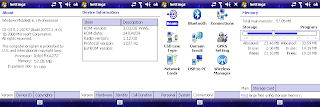


Download Archive:

- O2 XDA II Mini ROM HTCMAG_ROM_WWE_O3

- O2 XDA II Mini Radio Version 1.12

- Active Sync 4.5 if needed

Note:
You are flashing your device at your own risk.
Read More >>>

iPhoneToday 1.2.5

With iPhoneToday application, you can change the your Pocket PC menu view like iPhone menu. This application has many features.


Features:
- Multiples screens (With animates transactions)
- Notification on icons for calls, sms, etc
- Is a Today (No problems when we push the home button, no problems with incoming calls, ...)
- Compatibility with others todays (By example: Date Today and iPhoneToday after), today height configurable
- QVGA, VGA, WVGA... (The user define the icon size and height screen)
- UI for Icons managings
- UI for configuration
- Very low memory
- FAST!


Information:
Date: August 26, 2009 (Updated)
Type: Free
Version: 1.2.5

More Info:
- Source
- Donation


Installation:

- Download file archive, and unzip the mobile installer (.cab file) to your desktop. Sync with your mobile phone and copy the .cab installer to your phone.
- From your phone go to Programs -> File Explorer, navigate to the .cab file and select it. The Installer should do the rest.


Important: I recommend restarting the application when changing some options.


Miror Download:

- Download IphoneToday 1.2.5
Read More >>>

FEWidgets Ultimate 1.0b10

FEWidgets Ultimate is a Today Plugin for Windows Mobile 6.1/ Windows Mobile 6.5 Profesional (Touchscreen Support). Windows Mobile 5 and 6.0 are not supported. In this version, is 100% native code (C++) using the Qt Framework for Windows CE and does not require Flash
at all. It also should run faster than it's flash counterpart.


Features:

- Haptic feedback. When clicking on widget buttons you'll feel a small vibration.
- Multiple Layouts/Pages support (up to 4).
- Multiple Windows for each page with 0 loading time.
- Fullscreen Mode.
- Support for Landscape/Portrait modes.
- VGA/QVGA/WQVGA/WVGA support.
- Skinnable though XML files or just modifying the images.
- Scriptable through javascript.
- Extensible though C++ plugins.
- Support for Acceleration/Light sensor on the engine.


Implemented Widgets:

- Operator Name.
- RSS Feed Reader.
- Comming Appointments.
- Tasks.
- Contact widget.
- Date widget.
- Battery/Phone signal Strength indicator.
- S2P Player control.
- Analog Clock.
- Diamond like Clock.
- Background Image Changer.
- Bluetooth State (Can turn on/off)
- Wi-Fi State (Can turn on/off)
- Quick Dial.
- Layout swapper.
- Locker.
- Calendar.
- Shortcuts Widget.
- Missed Calls.
- Unread SMS.
- Unread Mail.
- Sound Profile changer.
- Weather.
- SMS information.
- Programs.


Information:
Size: 4.80 MB, 5.39 MB (VGA)
Date: September 06, 2009 (Updated)
Type: Free
Author: Nicodega
Version: 1.0b10

More Info:
- Source
- Donate

Installation:

- Download file archive, and unzip the mobile installer (.cab file) to your desktop. Sync with your mobile phone and copy the .cab installer to your phone.
- From your phone go to Programs -> File Explorer, navigate to the .cab file and select it. The Installer should do the rest.


Miror Download:

- Download FEWidget Ultimate
- Download FEWidget Ultimate VGA
Read More >>>

9/05/2009

Microsoft coy on apps for Zune HD


While confirming that sports HD Zune Apps now a menu that Microsoft would agree to some extent the collection of programs they intend to bid for the media player.

An eagle-eye-user weekends discovery Apps menu featured on some of these devices, Best Buy, retail outlets as part of a weekend preview. Microsoft has suggested Monday that the Apps menu and Zune Marketplace to find the house of the types of games on the Zune last, but whether and when it may be a larger selection of software backed offer.

Microsoft confirms Zune's HD has a menu of applications, but it is far from what is less clear, there will Apps.

"The games are preinstalled on the latest version of the device, but we decided to choose the updated firmware and people who want what games they have of themselves - and it was logical to done on the Marketplace, "said a representative of CNET News. "But games are free, the only difference is that people vote. For the moment we do not say anything about Apps functionality beyond what we have together."

Early versions of the device from CNET News had seen a game menu, but the games were like that kind of free games, which in the past.

Microsoft has suggested that the application menu for now, perhaps only an outlet for these games. However, the company has clearly left the door open for more.

"We play on the Zune today, which will make a presentation on Zune-HD, but this is not where we need to stop," said Microsoft.

The HD Zune is scheduled for September 15th sale at Best Buy and Microsoft are also pre-orders for the product. A 16 GB version will cost $ 219 while a 32GB version for $ 289 is assessed.
Read More >>>

Smartphones moving to fancier flash drives


The manufacturers of memory chips flash drives will be more demanding on mobile devices - technology, which was comparable to that Solid State Drives drives in laptops today.
The Palm comes with a pre 8GB Memory Flash Disk Flash drive manufacturers like Micron Technology is a challenge for the market of flash drives future mobile phone.

The Palm comes with a pre 8GB Memory Flash Disk Flash drive manufacturers like Micron Technology is a challenge for the market of flash drives future mobile phone.
(Credit: Palm)

Flash drives today, which usually go up to 32GB capacity in products like Apple's iPhone, often using relatively simple techniques for reading and writing data. In general, technology is not very different from that used in mobile phones for basic and digital cameras, according to Brian Shirley, Vice President of Micron's memory group.

But how smartphones - and possibly future tablet devices - devices more and more like the personal computer and less like an MP3 player base, manufacturers of memory chips begin to ask the flash memory, "said Shirley in a telephone interview.

"In almost all MP3 players, it is almost exclusively" raw "NAND. And at some point we expect to move more of a managed NAND, "said Shirley. This type of NAND flash memory used in all the flash cards and SSDs.

Managed NAND is somewhere between simple flash drives - such as Secure Digital or SD cards - and expensive drives solid state (SSD), with laptops and servers. "It's something between the first NAND we have discussed above for cell phones and MP3 players, and adult SSD space," says Shirley.

"We believe that this will be quite busy (market) space in 2010, he added.

Solid-State Drives in laptops like the MacBook Air from Apple and Dell Adamo used, their performance edge, sophisticated firmware and controller chips, which are managed, how data is read and recorded. Although managed NAND would not necessarily achieve that degree of perfection, he began his approach.

The iPhone uses raw NAND with an independent auditor, according to Gregory Wong, founder and principal analyst at Forward Insights, the research works on flash memory technology.

"They may have control over it, and the flash controller, so they can boost performance," he said. "They are very aware of the differentiation of their products. The user interface is what matters to them. That means that your music or video downloads very quickly, if you can find the data very quickly - that ties in how they manage the NAND, "he said.

But Apple is looking for better performance, as it seems very effective strategy of manufacturing its various products continues Wong.

Netbooks and the future can this type of flash memory. Netbooks are now using Intel Atom processors and Windows operating system, almost exclusively disks. But a new category of netbooks synchronized SmartBooks - equipment that is always on, always connected, and provide all the battery life day - should come in 2010 to market the package of flash drives. These smaller models can be run as a candidate for NAND.
Read More >>>

Grand Theft Auto Coming to iPhone

Rockstar Games, the developer behind Grand Theft Auto series, announced Monday that is Grand Theft Auto: Chinatown Wars coming to the Apple iPhone and iPod touch this fall.

The developer has also announced that Beaterator, application users to create world-class makes beats and songs, will also be in the App Store. As the title Beaterater Chinatown Wars is scheduled for this fall for an undisclosed price.

Chinatown Wars gives the player control of Huang Lee, a member of the Triad crime syndicate who moves to Liberty City after the death of his father being studied. Owners of iPhone and iPod Touch can control Lee, he traveled through the streets of Liberty City.

Chinatown Wars is currently on the Nintendo DS. It depends on the Sony PlayStation Portable in October. According to Rockstar, it's perfectly logical for the title of the handheld mobile devices through Apple to do.

But since it was brought from the traditional gaming device pocket, I asked if Rockstar iPhone owners will see a big difference between the Nintendo DS and Sony PSP versions and the iPhone version.

Rockstar said it will take some textures that look is low-resolution compared to the PSP version, but apart from that, the game is exactly the same.

It's a surprise, given that the content of a typical game Grand Theft Auto Apple has figured in conflict with policies against adult material on the way to the App Store. Apple did not have access to Eucalyptus, a program of e-book reader, because it allows users to find and read the Kama Sutra. Apple itself no access to Ninja words, an application dictionary, because it contained obscene language.

Grand Theft Auto: Chinatown Wars promises a typical ATM experience with sexual content and vulgar words that have made such a controversial concession. Rockstar said it had no problem with the policies of Apple App Store, and the game will be made available as it is.

Rockstar also said that the management of type on screen is a little different from what players to use with other handheld devices. According to the company, the game will display on screen analog stick that users are able to control with your thumb. The developer has not revealed more information on the game
Read More >>>